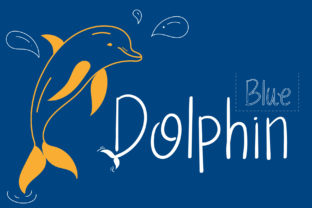
Dolphin: A Script Font for Modern Web Design
The Art of Readability in Handwritten Typography
When designing for the web, choosing the right font can make all the difference. Dolphin is a script font that brings a warm, friendly, and approachable feel to any digital project. Its handwritten style creates a personal touch, making it ideal for creative websites, branding, and user-focused layouts.
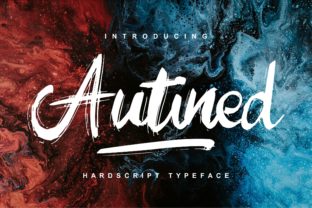
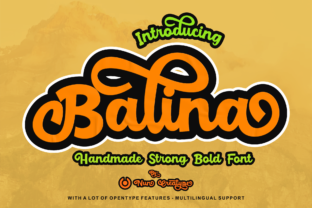
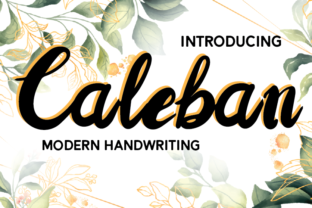
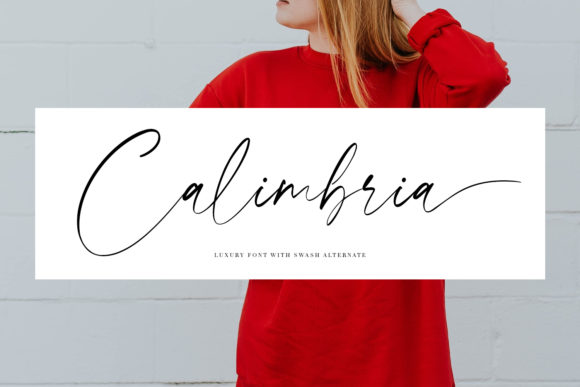
Dolphin’s design is rooted in casual elegance, with soft curves and flowing lines that mimic natural handwriting. This gives it a unique personality—friendly yet professional, playful yet refined. It’s not just a font; it's a visual language that communicates warmth and approachability.
Where Dolphin Fits Best in Digital Design
Dolphin shines in areas where personality and readability intersect. It’s perfect for hero sections, call-to-action buttons, and header text where you want to capture attention without overwhelming the user. Its script nature makes it especially effective in creative portfolios, boutique online stores, and brand-focused websites.
For instance, on a creative portfolio site, using Dolphin for the main title or section headings adds a sense of individuality. On an online store, it can be used for product names or promotional banners to create a more inviting shopping experience. In a coaching website, it helps establish a relatable and trustworthy tone.
Readability and Layout Rhythm
While script fonts like Dolphin can add character, they also require careful handling to maintain readability. The key is to use them strategically. For example, pairing Dolphin with a clean sans serif font for body copy ensures that the text remains scannable and easy to read.
Dolphin works best at larger sizes, especially in headers and titles. At smaller sizes, it can become difficult to read, so it’s important to test its performance on mobile devices and responsive layouts. When using it on dark backgrounds, ensure there’s enough contrast to keep the text legible.
Additionally, consider how Dolphin interacts with other elements in your layout. It pairs well with minimalistic designs, allowing the font to stand out without competing with other visual components. Avoid overusing it in supporting text or long paragraphs, as it can slow down reading speed.
Font Pairing for Web Design Success
Pairing Dolphin with complementary fonts can elevate your design significantly. For a modern look, pair it with a simple sans serif font like Montserrat or Open Sans for body text. This combination balances the decorative qualities of Dolphin with the clarity of a sans serif typeface.
If you're aiming for a more editorial or classic feel, consider pairing Dolphin with a serif font such as Georgia or Merriweather. This creates a sophisticated contrast that works well for blogs, magazines, or content-heavy websites.
For a bold, high-impact design, use Dolphin as a display font alongside a neutral background or image overlay. This allows it to take center stage while maintaining a cohesive visual hierarchy.
Using Dolphin for Brand Identity and User Engagement
A strong brand identity starts with consistent typography. Dolphin can help reinforce your brand’s personality by adding a human element to your design. Whether you’re creating a logo, social media graphics, or a digital ad, this font adds a layer of warmth and authenticity.
When designing for conversion-focused layouts, such as landing pages or course sales pages, Dolphin can help build trust. Its friendly appearance encourages users to engage with your content and take action. Use it for headlines, button text, and key messages to guide the user journey effectively.
For online stores, using Dolphin in product titles or promotional banners can create a more inviting atmosphere. It helps customers feel connected to the brand, which is crucial for building loyalty and driving sales.
Practical Tips for Using Dolphin in Web Design
Before implementing Dolphin in your projects, check the font’s included styles, file formats, and webfont availability. Ensure it supports the languages and characters relevant to your audience. Also, verify that it includes necessary alternates, weights, and multilingual support if needed.
When using Dolphin commercially, make sure you have the appropriate licensing for websites, client projects, and digital templates. This ensures that your design work remains compliant and legally protected.
Finally, always test your design across different screen sizes and devices. Dolphin performs best on larger screens, but with proper spacing and sizing adjustments, it can still be effective on mobile platforms.